
Can You See Who Views Your Instagram Reels? (2026)
Can you see who viewed your Instagram Reels? No — Reels have no viewer list like Stories do. Here's what Reels Insights actually shows you instead.
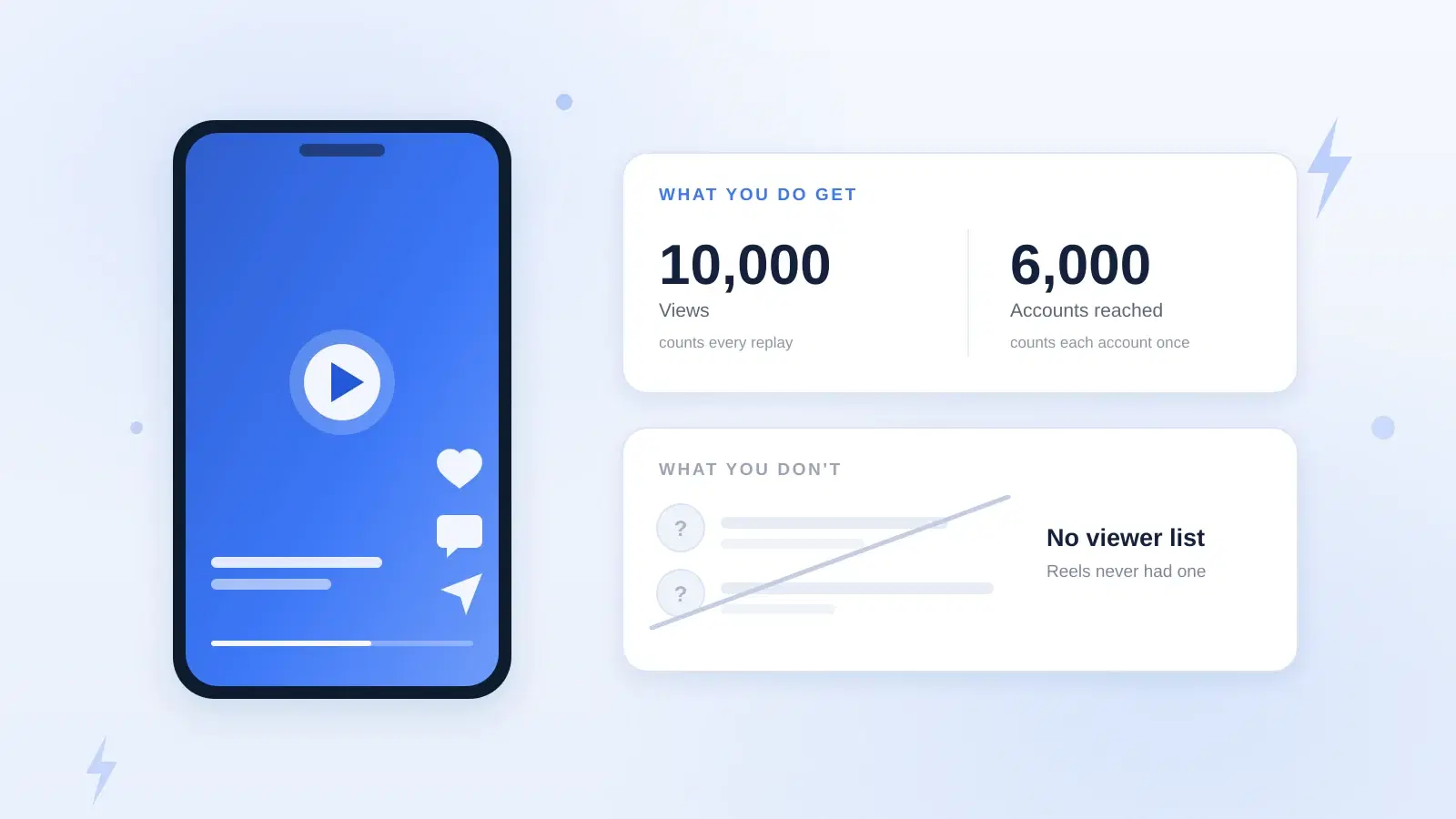
No — you can't see who viewed your Instagram Reels. There is no viewer list for Reels, on any account type, in any version of the app. If you're asking whether you can see who watched your Reel, or who viewed your Reels from the Reels tab, the honest answer is that the list simply doesn't exist. Stories have one. Reels never have. What you get instead is aggregate Insights: views, accounts reached, and engagement counts, with no names attached.
Why can't you see who viewed your Instagram Reels?
It comes down to who each format is built for. A Story goes out to people who already follow you, so a short list of names is easy to show and is more or less expected. A Reel is the opposite: Instagram pushes it into the Reels tab and Explore, in front of thousands of accounts that have never heard of you. Naming every person who thumbed past your video would be a privacy problem at that scale, and most of them didn't choose to watch you in any meaningful sense.
YouTube Shorts doesn't offer a viewer list either. TikTok is the one partial exception worth knowing about: its post view history can show who watched your video, but only if your account is under 5,000 followers, only for viewers who have switched the same setting on for themselves, and only for the past seven days — and enabling it means other creators can see when you've watched theirs. Nothing like it exists for Reels.
Can someone tell if you watched their Reel?
No. If you watch someone's Reel, the creator is never told that you specifically viewed it. Your view is folded into their view and reach totals, but your username appears nowhere in their Insights, and there's no setting they can switch on to change that. Watching a Reel five times adds five to an anonymous counter. It doesn't surface your name.
The only things that identify you to the poster are the actions that are public by design: liking, commenting, resharing it to your Story, sending it to someone, or following the account. Saving a Reel does add to their saves count, but that's a number to them, not a name.
What do Reels Insights actually show you?
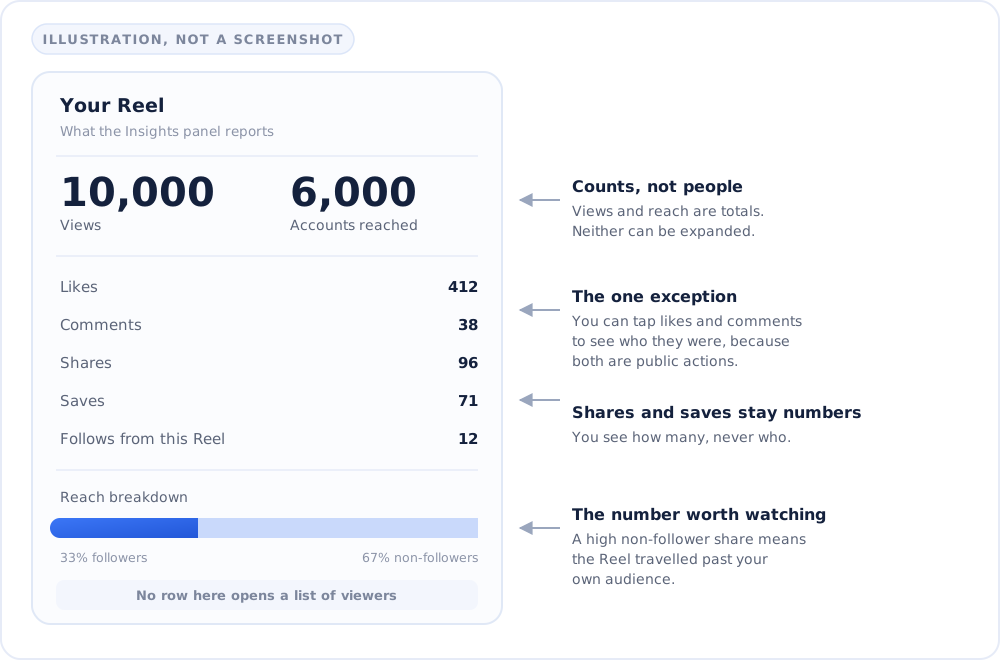
Switch your account to Professional (Creator or Business — it's free, in Settings), open one of your Reels and tap into Insights. You'll see:
- Views — how many times the Reel started playing or replayed, so someone rewatching it three times counts three times. This used to be labelled Plays. Instagram folded Plays and Impressions into a single Views metric in 2025, which is why plenty of guides still use the old word.
- Accounts reached — the number of unique accounts the Reel was put in front of, counted once each however many times they watched. Being shown it is enough; they didn't have to play it.
- Likes, comments, shares, saves — engagement counts. Likes and comments are public actions, so you can tap through and see exactly who those people are.
- Follows — how many people followed you straight from that Reel.
- Reach breakdown — the split between followers and non-followers, which tells you how far past your own audience it travelled.
None of these tie a specific viewer to a specific view. Instagram documents both metrics in its Help Centre, and treats accounts reached as an estimate. "Accounts reached" is a count, not a roster.
What's the difference between Views and Accounts reached?
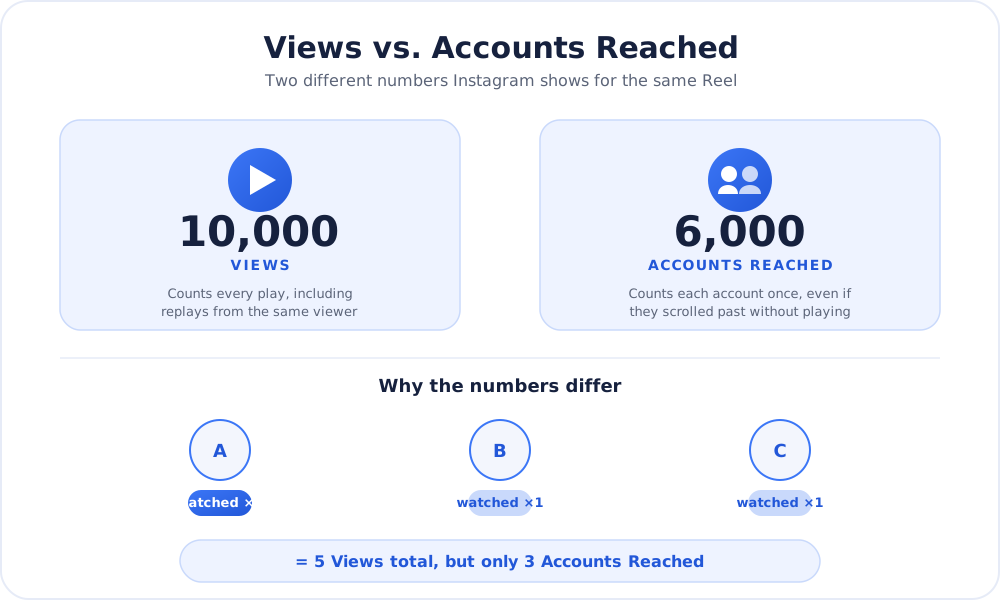
Views counts plays. Accounts reached counts people. That's the whole distinction, and it's the thing most people get wrong when they open Insights for the first time.
Say a Reel shows 10,000 views and 6,000 accounts reached. Six thousand different accounts saw it, and between them they started it ten thousand times — roughly 1.7 plays each. Neither number is a list of who those 6,000 accounts were. A wide gap like that is a good sign: it means people looped the video, and watch time is one of the signals Instagram has said it weighs most heavily. A Reel showing 10,000 views and 9,800 reached is a weaker result wearing the same headline number, because almost nobody watched it twice.
| What you can see | Instagram Stories | Instagram Reels |
|---|---|---|
| Named list of who viewed it? | Yes | No — never, on any account type |
| Who can see that list? | Only the poster | Nobody, it doesn't exist |
| How long the viewer data lasts | Viewer list is open for 48 hours | Insights stay while the Reel is on your profile |
| Counts repeat views? | No, each account is listed once | Yes, views counts every replay |
| Shown to non-followers? | Mostly followers only | Yes, via the Reels tab and Explore |
| Account type needed for the data | Any account sees its own viewer list | Professional (Creator or Business) |
Do "who viewed my Reel" apps actually work?
No, and it's worth being blunt about why. Instagram's API has never exposed viewer-level data to third parties, so there is no source an app could legitimately pull that list from. Anything advertising it is either inventing numbers or harvesting logins. Treat a request to sign in through a third-party page as what it is: a phishing pattern, not a feature. The same goes for the "see who stalks your profile" apps in the same category.
How do you check your Reels Insights?
- Switch to a Professional account (Settings → Account type and tools). Personal accounts still see the public view count on a Reel; they just don't get the Insights panel behind it.
- Open the Reel from your profile.
- Tap Insights below the Reel, or find it via the three-dot menu on the post.
- Read Views, Accounts reached and the engagement breakdown together, rather than fixating on any single number.
Why does reach matter more than knowing who watched?
Honestly, a list of names wouldn't tell you much. What decides whether a Reel keeps growing is how people respond to it early, relative to how many have seen it. Instagram has been unusually open about which signals carry the most weight here: Adam Mosseri has named watch time, sends per reach (someone forwarding your Reel in a DM) and likes as the heaviest, and has singled out sends as the thing that moves a Reel to people who don't already follow you.
What Instagram has not published is a test-audience size or a scoring window. The popular idea that a Reel is shown to a small group and judged within the first hour is a creator rule of thumb, not documented mechanics — useful as a reason to be around when you post, not something to set a stopwatch by. If reach has been flat across your last several Reels rather than one flop, it's worth running our free Instagram shadowban test to rule that out.
How do you increase your Instagram Reels reach?
- Earn the first two seconds. Watch time is the signal Instagram names first, and you can't accumulate it if people swipe during your intro. Open on the payoff, not the setup.
- Make it worth sending. Sends per reach is the signal Mosseri highlights for reaching non-followers, and it's the one most creators ignore. Ask yourself who would forward this to a friend, and why.
- Post native, unwatermarked video. Instagram's recommendation guidelines say it won't recommend reels visibly recycled from another app, so a TikTok or CapCut watermark can keep a Reel out of Explore. Your followers still see it; the reach that matters doesn't happen. Your own logo is fine — it's third-party app watermarks that get filtered.
- Be there when it lands. Replying to early comments keeps a conversation visible while the Reel is still being shown to new people.
Engagement that arrives while a Reel is still being distributed is worth more than the same engagement a week later, which is why real likes on a fresh Reel and on-topic Instagram comments are the ones that count. Be clear-eyed about the ceiling, though: watch time and DM sends are among the heaviest signals and neither can be bought. Early engagement gives a good Reel the social proof to travel. It won't rescue a weak hook.
The bottom line
Stop looking for the viewer list — it isn't hidden behind a setting, and no app can conjure it. Spend the energy on the two numbers you do get instead: check your views-to-reach gap to see whether people are rewatching, and check your follower vs non-follower split to see whether the algorithm is taking your Reel anywhere new. Those two ratios will tell you more about what to post next than a list of names ever could.