We might have this recurring question “Does x show who viewed your profile?” The answer is “NO”. Twitter profile views are kept hidden due to privacy concerns. So, there is no way to get the names of people visiting your profile, but you can see the number of profile visits.
You can check the number of visitors to your profile in a variety of ways. The first is through a professional dashboard.
The professional dashboard clearly mentions the number of profile visitors. Note that this is an overall number of profile visitors, not from a specific post. You can also narrow this down to a particular month.
A professional account dashboard lets you visualize key metrics such as impressions, profile visits, engagement rates, and link clicks.
Key Features In The Professional Dashboard:
- Profile Visits: The number of profile visits will be clearly mentioned here. You can even see the profile from specific tweets as well.
- Analytics Insights: Track and analyze all performance metrics in a single screen.
- Profile Spotlights: Dedicated space on profiles allows professionals to showcase their key content or offerings, enhancing visibility and engagement.
- Connection Building: Provides you with proper guidance on how you can make more connections, and expand your network and reach.
- Promotion Tools: Professionals can promote posts using X Ads products, driving engagement and visibility.
- Monetization Opportunities: Resources are available for exploring monetization avenues, enabling users to leverage their presence on Twitter for financial gain.
- Ongoing Updates: Professional Home evolves with continuous updates, ensuring that professionals have access to the latest tools and features for maximizing their presence and performance on Twitter.
How To See Profile Visits From A Specific Tweet?
Secondly, profile visits secured through a specific Tweet can also be measured. Below every tweet, there is a graph-like icon. Click on it, and you will see the number of profile visits from that particular tweet.
This feature helps you analyze the quality of your content. If some Tweets get a lot of profile visits, that’s a sign of quality content.
Take a close look at the Post Analytics image above. This shows information specific to a Tweet. It shows you the number of profile visits, engagement, link clicks, detail expands and impressions.


 Written By Olivia
  0 Comments
  Publish Date : December 26, 2025
  4 min read
  Does Twitter Show Who Viewed Your Profile?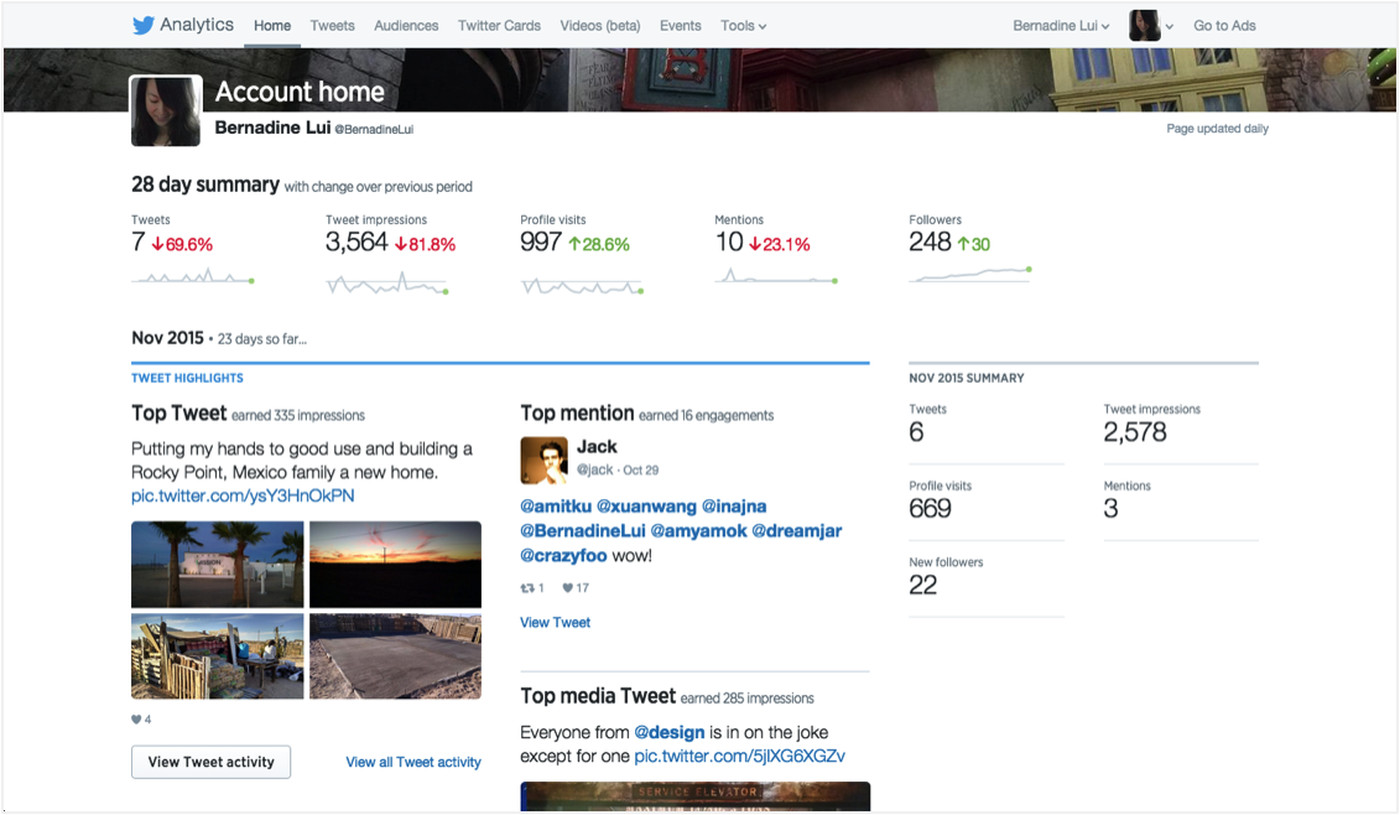

 Michael Johnson
 26th Dec
